
In 2023 alone, over S$20 million has been lost1 due to a spate of online scams, with some victims losing up to six-figure amounts2. This is especially alarming in Singapore, as Singaporeans are reported to lose more money to scams3 than any other nationality. Scams have been multiplying rapidly in more creative ways than ever. Victims’ suspicions may have been allayed by the surprising generosity of the offers where some scammers even offered payment4 as an incentive, resulting in more people falling for them.
In the first two instalments of our scam education series, we covered social engineering scams and phishing scams. Both stories outlined how scammers use various tactics such as impersonating government officials or bank employees to fool users into authorising transactions; or stealing personal or company information by baiting users with a reward after they scan a malicious QR code.
This recent cybercrime surge points to one thing – thieves are getting more cunning and more tech-savvy. Their latest weapon? Malware apps. In particular, SMEs are especially susceptible to malware threats5.
Ensuring protection and promoting employee awareness are crucial for safeguarding your business. So first, let’s understand how do malware scams work.
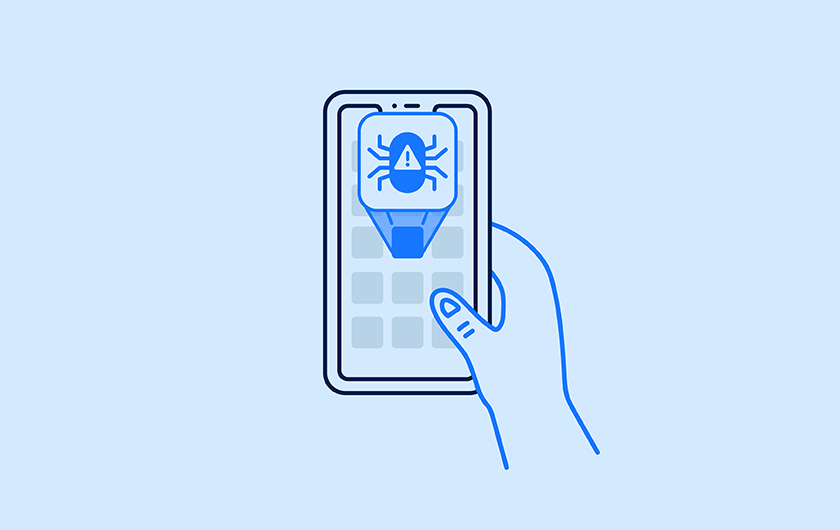
It typically starts with something that looks innocent and legitimate, like social media ads for deals on travel, food, or even, ironically, an anti-scam app6. Once users click on the online advertisement, they are contacted by the scammer who provides details on the so-called deal. The scammer then sends a link where users are asked to download an app to avail the promotion. Specific to businesses, malwares are usually disguised as a legitimate business applications and cybercriminals employ methods like phishing emails, deceptive text messages, or seemingly harmless links to get unauthorised access to data.
Most users don’t realise that these apps contain malware that can steal sensitive information from your phone, like your personal and/or corporate banking credentials. Once cybercriminals have access to it, they can start to transfer funds out of the bank accounts.
Outsmart hi-tech scammers with lo-tech tactics
As an entrepreneur, you are ultimately responsible for keeping your business’ assets safe. Fortunately, staying ahead of scammers doesn’t necessarily require high-tech solutions – just a little bit of cyber-smarts. Read through these tips and pass on the knowledge to your employees to safeguard your business.
Tip #1 – Be extra alert, especially during the festive season
During the holiday gifting season, and everyone is trying to find good deals. As a business owner, these discounts matter when you buy multiple gifts for clients or partners. This deal-hunting behaviour is exactly what scammers are exploiting.
Remind your employees to not click on unknown links that are shared by third-parties. Instead, investigate further and see if the offer is legitimate by cross-checking the official brand platforms mentioning the same deal, or even check with your friends and colleagues. Better yet, inquire about any advertised deals in-store. Always be suspicious of third-party websites and unknown sources before verifying.
Tip #2 – Verify sources before downloading
Mobile apps are undeniably convenient and they can be easily downloaded from the various app stores. However, they are also highly susceptible to malware if it is downloaded from external or unverified app stores.
Before downloading any software or app onto a mobile device, verify the source. Legitimate channels for distribution include official app marketplaces like Google Play, the Apple App Store, and Huawei App Gallery, all of which will vet apps for user safety.
Other online platforms, like a brand’s official website and official social media channels, should redirect you to these app marketplaces for any downloads or updates. For government services, you can refer to the official list of trusted sites published by the Singapore government7.
When it comes to banking, you and your team should be even more vigilant. ANEXT Bank customers for instance, should only download the mobile banking app from official app stores. Do note, our ads won’t direct you to download the banking app from any other sources.
Tip #3 – Be familiar with your service providers’ business practices
It’s important for you to know your own service providers’ protocols, from logging in to the provider’s platform to their promotions and marketing channels. Pass this information to your employees – especially those who handle your day-to-day financial transactions – so that they are equally armed against potential scams. Knowing your suppliers’ standard procedures can help employees immediately determine when an offer is legitimate or not.
For instance, we don’t charge any fees for early repayment of our ANEXT Business Loan. Furthermore, repayment can only be made through an ANEXT Business Account. If someone claiming to be from ANEXT Bank approaches you or your employees with an early repayment promotion or shares with you an account number to transfer the repayment amount to, you know it’s a scam.
Follow these best practices for safe online banking
Here is a list of reminders that may already be second nature to some, but still need to be practised on a daily basis:
- Don’t click on any links from unknown sources. We’ll only send you communications via our official channels (email and SMS) and we won’t include any promotional links within it.
- Never share your ANEXT Bank login credentials and one-time password with anyone.
- Regularly update your own ANEXT Bank login password.
- If you suspect fraud on your ANEXT Business Account, file a police report and activate a temporary account suspension immediately. Rest assured, there’s minimal disruption to your business while the account is suspended as you can still receive fund transfers.
Remember, online security is everyone’s responsibility. Knowing how you and your team can avoid malware scams is one of the best ways to keep your business safe.
References:
- https://www.straitstimes.com/singapore/spike-in-malware-scam-victims-in-july-august-losses-equivalent-to-that-in-first-half-of-2023
- https://www.straitstimes.com/singapore/woman-loses-over-110000-after-downloading-third-party-app-to-buy-durian-tour-ticket
- https://www.straitstimes.com/world/14-trillion-lost-to-scams-globally-s-pore-victims-lost-the-most-on-average-study
- https://www.straitstimes.com/singapore/21-people-lose-at-least-210k-in-malware-scams-involving-sale-of-used-goods
- https://www.kaspersky.com/about/press-releases/2023_smbs-are-still-a-lucrative-opportunity-for-cybercriminals-kaspersky-reports
- https://www.channelnewsasia.com/singapore/scam-sms-android-fake-app-police-3632526
- https://www.gov.sg/trusted-sites